
HubSpot Shopify Sidekick Integration

Bring HubSpot CRM into Shopify Sidekick with natural-language access. Ask questions, retrieve CRM insights, and perform supported HubSpot actions without leaving Shopify Admin.

Get Started for Free
Schedule A Call

HubSpot CRM, right where you work

Connect HubSpot with Shopify Sidekick and turn CRM data into conversational insights. Search contacts, understand deals, check marketing performance, and access other supported CRM information using simple prompts, without switching between Shopify and HubSpot.

Book a Free Demo

Turn CRM Data into Answers. Right Inside Shopify.
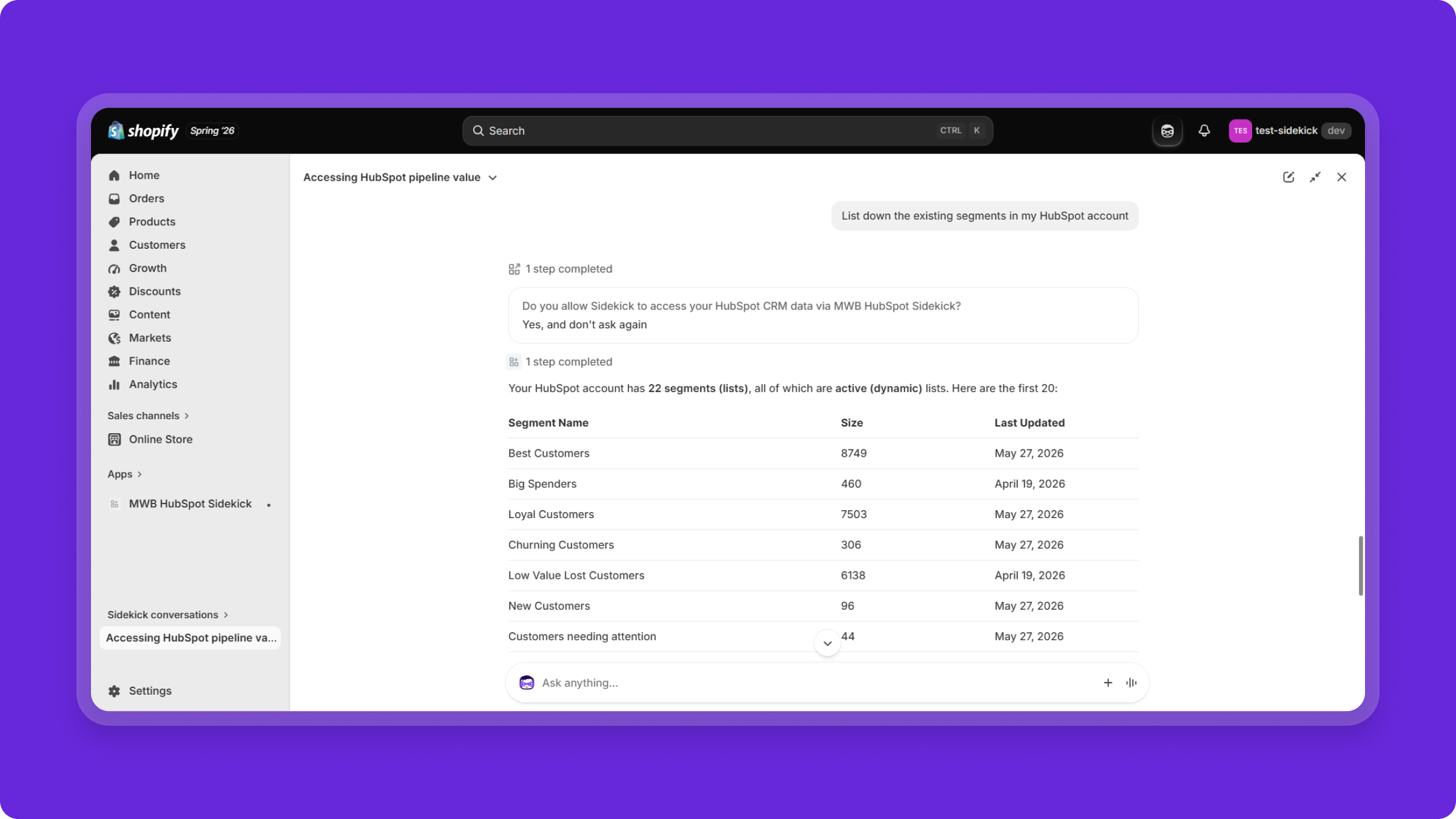
Ask HubSpot in Natural Language

Ask Shopify Sidekick questions about your HubSpot CRM and get relevant information through conversational prompts.

Get Instant CRM Insights

Access contacts, companies, deals, pipelines, lists, workflows, marketing emails, and account analytics from within Shopify.
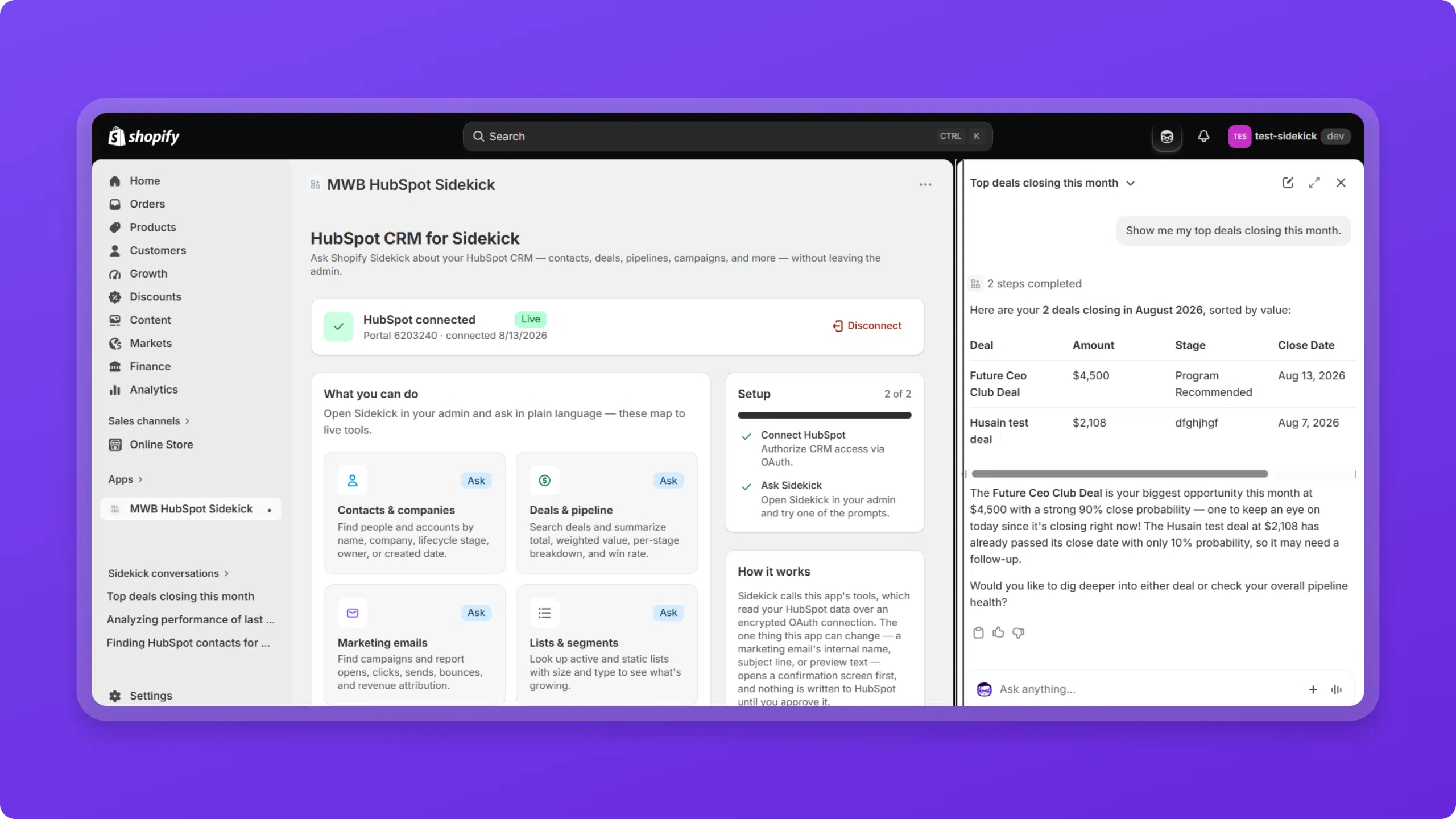
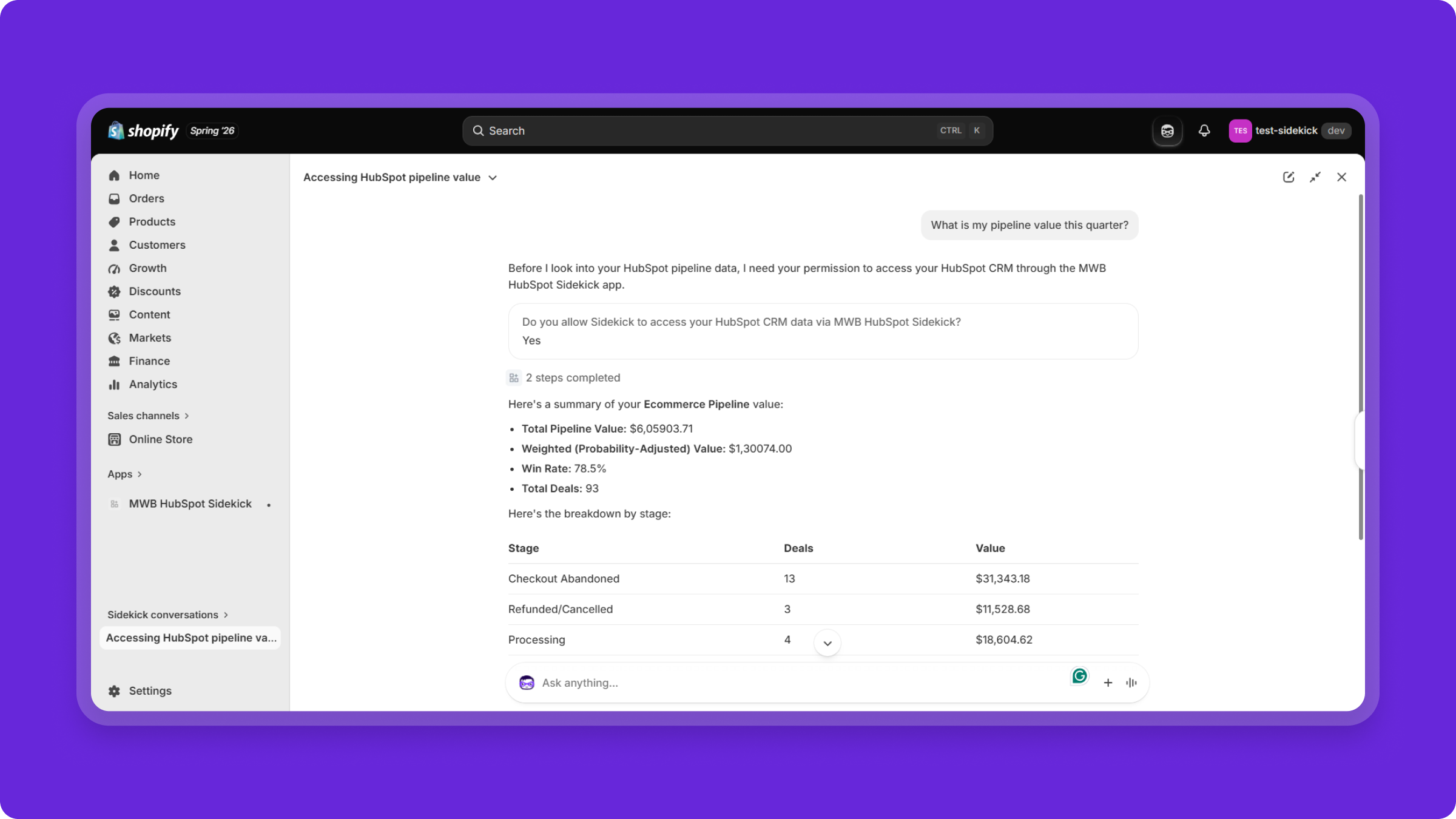
Work Without Switching Platforms

Keep your CRM context within Shopify Admin instead of jumping between Shopify and HubSpot to find the information you need.

Start with Ready-to-Use Prompts

Use built-in prompts to quickly explore your HubSpot CRM or create your own natural-language queries.
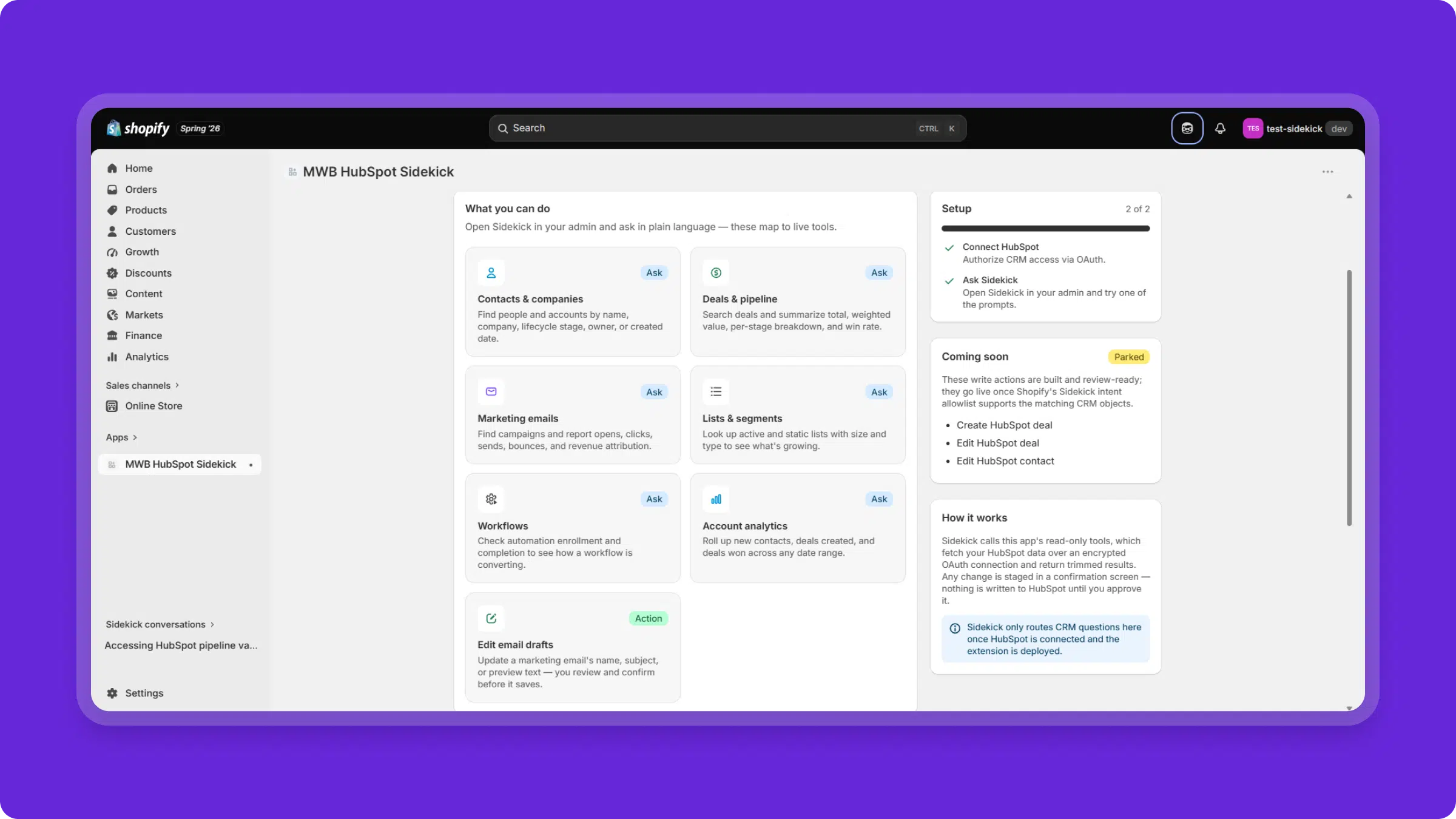
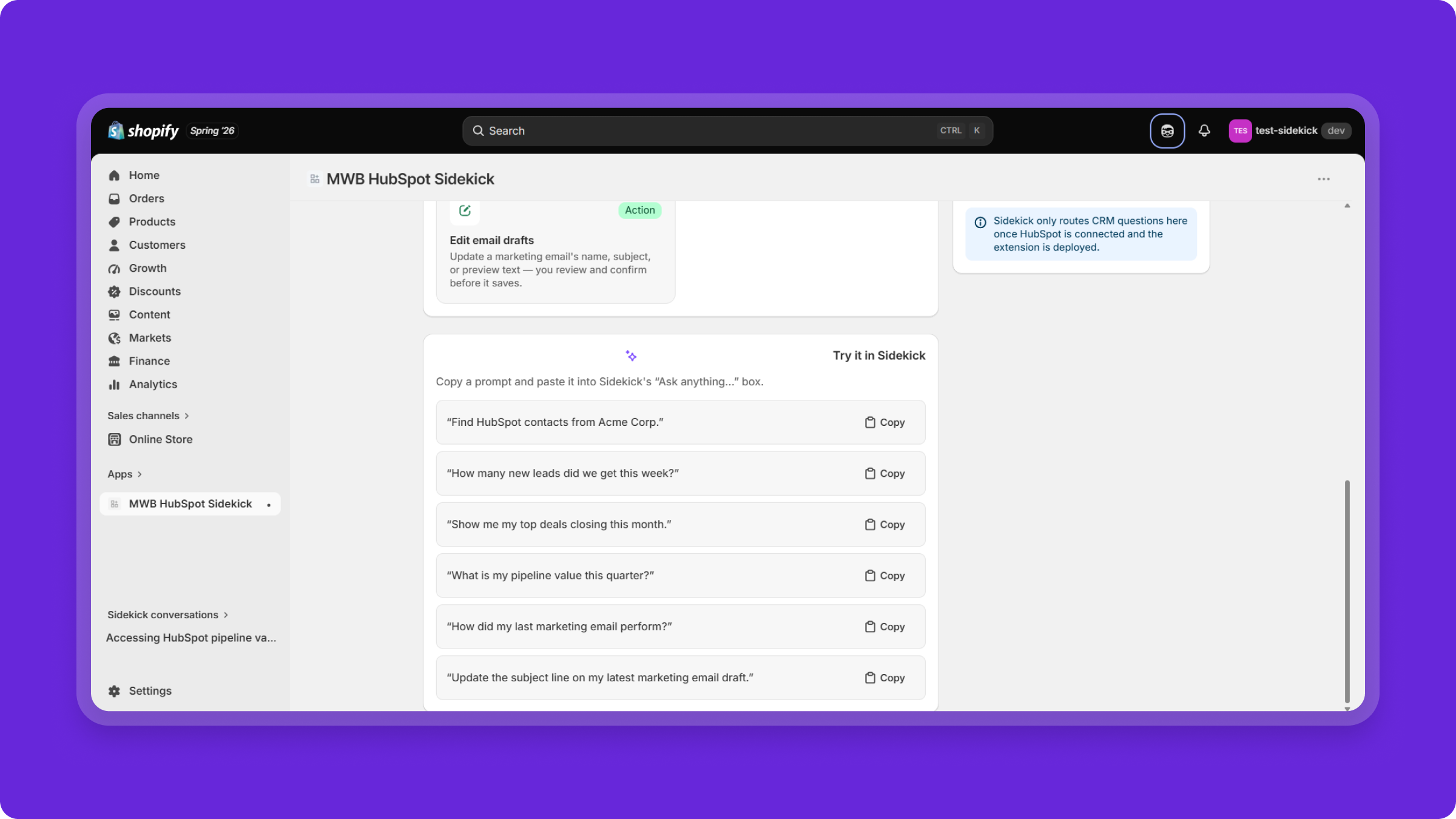
Take Supported HubSpot Actions

Go beyond retrieving information with supported actions, including editing marketing email drafts with confirmation before changes are applied.


Tips Logo How Its Works?

Quickest Setup for AI-powered Insight inside Shopify Admin

Contact Us

Install & Setup The App

Install MWB HubSpot Sidekick from the HubSpot App Marketplace or Shopify Marketplace and access it inside your Shopify Admin of your desired store.

Connect HubSpot

Click Connect HubSpot using your preferred HubSpot account, review permissions and authorize access to your HubSpot portal through OAuth.

Connect Shopify Store

Open the app, connect your Shopify account with the desired store and access Shopify Sidekick to access the setup dashboard.

Ask, Explore & Act

Start making queries inside the Sidekick panel, using natural-language prompts to retrieve supported CRM insights and perform supported actions.

Tips Logo Testimonial

Feedback that Fuel Us

We value real impact over surface-level claims. Here is how we’ve helped e-commerce businesses transform their performance and scale with confidence.


Happy team meeting
Team members
Need some help ? Contact with our team now.

Working with MakeWebBetter has been a game-changer for our business. Their team is not only technically skilled but also incredibly responsive and invested in our success. They took the time to understand our unique challenges and delivered tailored solutions that exceeded expectations. We now have a more streamlined, efficient HubSpot setup—and a trusted partner for future growth.

Chhavi Porwal works as a Senior Partner Program Consultant at HubSpot Singapore. She appreciates MakeWebBetter by saying, their commitment and work ethics are unparalleled. Keeping customers at the center of their value system, they strive to provide them with delightful experiences. Working with MakeWebBetter has always been a pleasure, the team has a growth mindset and I am confident given the skill set MWB will continue to develop creative solutions in the HubSpot ecosystem.

I wanted to share a quick note and let you guys know that you guys did an amazing job with the HubSpot setup and onboarding process. A special shoutout to Pankaj for literally solving all queries as and when I threw it at him. It was like having my own remote team somewhere and helping our in-house team go step by step and understand HubSpot, its processes and literally customizing everything to our needs. Thank You so much guys, you did an amazing job.

Kritika
Kritika
Tips Logo FAQ's

Frequently Asked Questions

The HubSpot Shopify Sidekick integration connects your HubSpot CRM with Shopify Sidekick, allowing you to access supported CRM information and perform supported actions using natural-language prompts within Shopify Admin.

Once you connect your HubSpot account through the MWB HubSpot Sidekick app, Shopify Sidekick can route supported CRM questions to your connected HubSpot portal and return the relevant information in the Sidekick experience.

You can access supported information related to contacts, companies, deals and pipelines, marketing emails, lists and segments, workflows, and account analytics.

Yes. You can use natural-language prompts to ask about supported HubSpot CRM data, such as contacts, deals, pipeline value, marketing email performance, lists, workflows, and CRM activity.

Supported actions are available for specific use cases. For example, you can update supported marketing email draft fields, with a confirmation step before changes are saved.

No. The HubSpot Shopify Sidekick integration is designed to let you manage permissions and access supported HubSpot CRM information directly through Shopify Sidekick without leaving Shopify Admin.

Install MWB HubSpot Sidekick in your Shopify store and connect your HubSpot portal through the HubSpot OAuth authorization flow. Once connected, you can use supported HubSpot prompts in Shopify Sidekick.

The connection uses HubSpot OAuth for authorization. Your HubSpot password is not stored by the application, and you can disconnect your HubSpot account from the app at any time.


Tips Logo Freemium

Unlock Complete Access Without Any Fee

Build for teams who value informed decision making and craft growth out of insights.

Get Started for Free